
Using Offline Haiphong Map Tips For Travelers
An offline Haiphong map is one of the most useful things you can prepare before your trip. Mobile data in Vietnam is cheap and usually reliable, but phones run out of battery, SIM cards take time to set up and signal drops on ferries, in old alleys and on the road to Cat Ba. With a map saved on your phone, you can still find your hotel, a food street or the ferry pier without stress.
This guide from the Haiphong Adventure team explains how to set up an offline Haiphong map, which apps travellers usually use, how to save useful places, how to read Vietnamese addresses and how to avoid the mistakes we often see visitors make. App features change regularly, so treat the app details as a reference (updated October 2026).

Why You Need An Offline Haiphong Map
Many travellers think they will simply use mobile data. Most of the time that works, but an offline map is a smart backup for several reasons.
- Arrival moments. When you land at Cat Bi Airport or step off the train, you may not have a local SIM or eSIM working yet.
- Weak signal spots. Narrow alleys, ferries to Cat Ba and some rural roads can have patchy coverage.
- Battery saving. Offline maps with GPS use less power than constant data streaming.
- Peace of mind. If your phone plan fails or your roaming is expensive, you can still navigate.
If you are travelling between cities, our local traffic tips for the trip from Hanoi to Haiphong explain what the roads are really like.
Choosing An Offline Map App For Haiphong
Several apps let you save maps for offline use. Each has strengths, and many travellers use two together.
| App type | Strengths | Things to know |
|---|---|---|
| Google Maps (offline areas) | Familiar, good search, restaurant and hotel details | Offline search and routing are more limited than online; refresh downloads before they expire |
| OpenStreetMap based apps (for example Organic Maps or Maps.me) | Fully offline search and walking routes, light on battery | Fewer business reviews and photos; small shops may be missing |
| Ride hailing apps such as Grab | Easy pickups with exact pins, clear prices before you ride | Need data to book a ride |
Our suggestion: download an offline area in your main map app and also install one fully offline OpenStreetMap app as a backup. Test both on Wi-Fi at home before you fly.
Areas to download
- Central Haiphong, including the Opera House, Tam Bac Lake and the main food streets.
- The area around Cat Bi Airport and the railway station.
- Do Son, if you plan a beach day.
- Cat Ba Island and the ferry route, if you are heading to Lan Ha Bay.
How To Set Up Your Offline Haiphong Map Step By Step
- Connect to Wi-Fi. Offline maps can be large, so download them at home or in your hotel.
- Search for Haiphong. Zoom to the area you want, then choose the option to download an offline map or region.
- Check storage. Make sure your phone has enough free space.
- Turn on location. GPS works without data, so your blue dot will still move on the offline map.
- Test it. Switch on airplane mode, keep GPS on and see if the map still shows streets and your position.
- Update before trips. Refresh offline maps before a long journey, as some apps expire downloaded areas after a while.
>>> 24-Hour DIY Haiphong Tour: The Ultimate Guide
Saving Useful Places Before You Arrive
An offline map becomes far more powerful when your key places are already saved. Create a list or use star pins for:
- Your hotel, with the full address in Vietnamese.
- Transport points such as Cat Bi Airport, the railway station, bus stations and the ferry pier.
- Landmarks such as the Opera House, Le Chan statue, Tam Bac Lake and the Cau Quay swing bridge.
- Food stops you want to try, from banh da cua to banh mi que.
- Practical places such as pharmacies, ATMs, hospitals and convenience stores near your hotel.
Take a screenshot of your hotel address and pin as well. If your phone app fails, you can still show the screenshot to a taxi driver.
Recommended tour
The Insider’s Haiphong

Leave the map in your pocket and let a local guide show you the railway station, post office, Opera House, markets and favourite local snacks by motorbike.
From $79 per person
Reading Vietnamese Addresses On A Haiphong Map
Addresses in Vietnam can look confusing at first. Understanding the basic structure helps you search correctly, even offline.
| Vietnamese word | Meaning | Example use |
|---|---|---|
| So | House number | So 12 means number 12 |
| Ngo or Hem | Alley or lane | An alley branching off a main street |
| Duong or Pho | Road or street | The main street name |
| Phuong | Ward | The local area inside the city |
| Thanh pho | City | Thanh pho Hai Phong |
Tips for searching addresses
- Search with and without Vietnamese accents. Offline apps sometimes only find one version.
- Search the street name first, then look for the house number.
- Alley addresses such as 12/5 often mean house 5 inside the alley beside number 12.
- Vietnam has reorganised many local administrative names in recent years, so some maps may show older ward or district names. If an address does not appear, try the street name and nearby landmark.

Using An Offline Map While Walking In Haiphong
Central Haiphong is very walkable, with wide boulevards, colonial buildings and shady streets. A few habits make walking with an offline map easier.
- Check direction before you start. The compass or direction arrow can be slow to update. Walk a few steps and see which way your dot moves.
- Use landmarks. Large buildings like the Opera House or a lake are easier to follow than small street names.
- Step aside to look at your phone. Pavements are often used for parking and small businesses, so stop in a safe spot.
- Watch traffic first, phone second. Look carefully before crossing, and cross at a steady pace.
For a ready-made walking route, our free things to do in Haiphong post lists easy stops in the centre.
Using Offline Maps On A Motorbike Or In A Taxi
As a taxi or Grab passenger
Follow the route on your offline map to see that you are heading in the right direction. Most drivers are honest, but it helps you feel confident and lets you spot if you are going the wrong way.
If you ride a motorbike
Never hold your phone while riding. Use a secure phone holder, plan the route before you start and stop safely to check the map. Make sure you understand local road rules and licence requirements first. Our guide on scams to avoid with motorbike rental in Haiphong covers important checks before you rent.

>>> Riding Haiphong Motorbike Tour Safety Tips Guide
Offline Map Tips For Day Trips From Haiphong
Day trips are where offline maps matter most, because you may pass through areas with weaker signal.
- Cat Ba Island. Download the whole island and the ferry route. Save the ferry pier, your hotel and your boat meeting point.
- Do Son. Save the beach area and a few seafood restaurants before you go.
- Countryside villages. Small lanes may not have names. Save a pin where you start so you can always find your way back.
Check ferry and bus timing as well as the map. Our post on Haiphong to Cat Ba travel time and schedules helps you plan.
Common Offline Map Mistakes To Avoid
- Downloading too small an area. Include the airport, station and any day trip destinations.
- Forgetting to update. Old offline maps may miss new roads or bridges.
- Trusting opening hours blindly. Small family shops change hours often, especially on holidays.
- Relying on one app only. A second offline app costs nothing and can save your day.
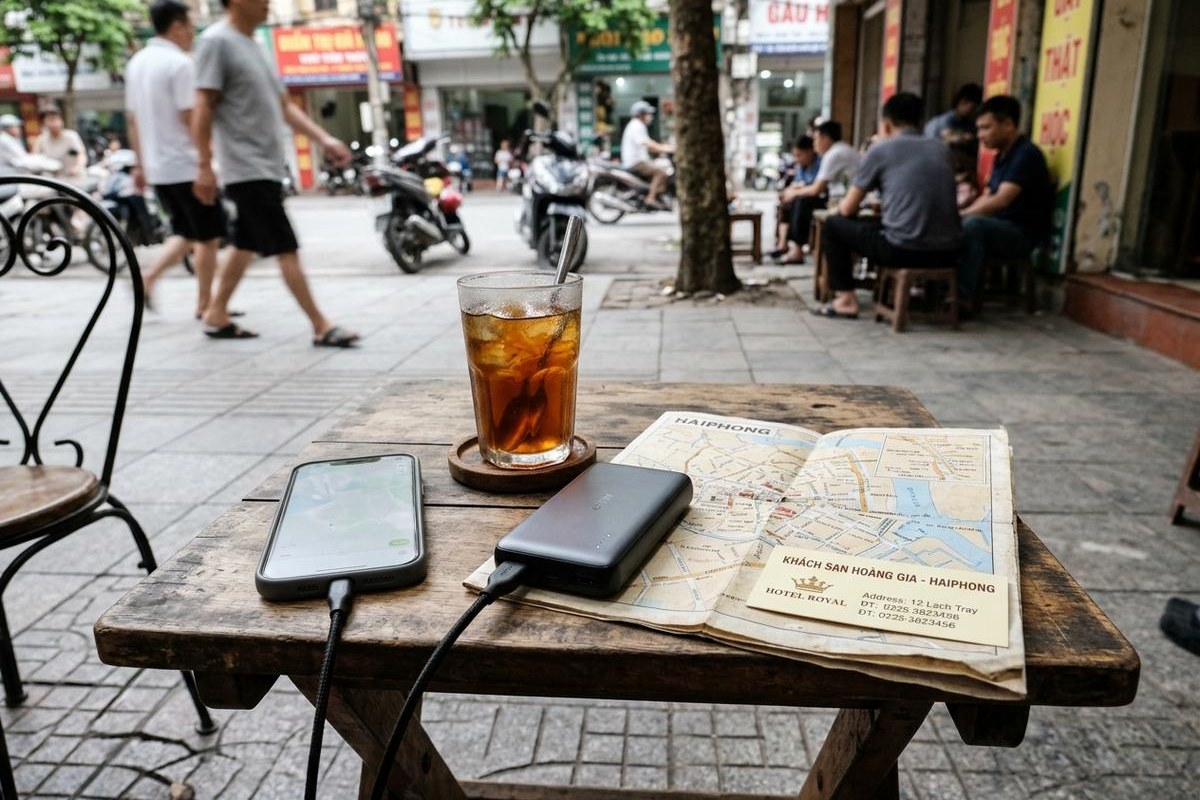
- Running out of battery. Carry a power bank and a cable, and lower screen brightness when walking.
When A Local Guide Beats Any Map
Maps show streets, but they do not tell you which alley has the best banh da cua or where locals sit for coffee at sunset. A local guide adds stories, safety and confidence, especially on busy roads at rush hour. Many guests on our haiphong tours use offline maps for their free time and join a guided ride to discover the hidden corners they would never find alone.
>>> The Ultimate Haiphong Tour: Top 10 Must-Visit Spots in 2025
Frequently Asked Questions About Offline Haiphong Maps
Does GPS work in Haiphong without mobile data?
Yes. GPS works without data, so your location appears on an offline map. You only need data for live traffic, ride booking and online search.
Which offline map app is best for Haiphong?
Many travellers use Google Maps offline areas plus an OpenStreetMap based app as a backup. Test both before your trip.
How big is an offline map of Haiphong?
It depends on the app and the area, but city areas are usually manageable on most phones. Download on Wi-Fi to save data.
Can I book Grab with an offline map?
No. Ride hailing apps need data to book. Use your offline map to follow the route and show the driver your destination.
Should I still carry a paper map or address card?
Yes. A hotel business card or a screenshot of the address is a simple backup if your phone battery runs out.
Explore Haiphong With Confidence
A few minutes spent setting up an offline Haiphong map can save hours of stress on the road. Download the right areas, save your key places, learn how addresses work and keep a power bank in your bag. If you would like a local guide to show you the city or help plan your days in Haiphong and Cat Ba, the Haiphong Adventure team is always happy to help.
WhatsApp, Viber, WeChat: +84(0)934.555.001
KakaoTalk, Line ID: haiphongadventure